

Studiz - a redesigned mobile app with student discounts
Mobile App | Work projectUX/UI Designer
Figma, FigJam, Design System
Solution prepared for: mobile (iOS & Android)The challenge
The primary challenge was to create a design that met the latest design standards, stood out from competitors, and provided a clean, easy-to-navigate flow that met users’ expectations while aligning with the company’s business goals.
Research
To address these issues, we conducted extensive research:
- User Interviews: We interviewed students to understand their pain points and expectations.
- Surveys: Distributed surveys to gather quantitative data on user preferences and behaviors.
- Usability Testing: Observed users interacting with the app to identify problem areas and gather direct feedback.
Based on this research, we discovered that users often felt lost and confused. The navigation was not intuitive, and the information architecture needed significant improvements to enhance the user experience.
Design System
To address these challenges effectively, I developed a comprehensive design system from scratch. The design system included:
- Colors: A well-defined color palette with usage guidelines.
- Typography: Font styles and sizes for consistency.
- Spacing & Grids: Guidelines for layout and spacing.
- Icon Library: A collection of icons with usage instructions.
- Components Library: Reusable UI components and design patterns.
- Documentation: Detailed descriptions of when and how to use each element.
This design system became the single source of truth for both designers and developers at Studiz. It ensured consistency across all platforms and streamlined the design and development process, making it more efficient and scalable.
Before and after
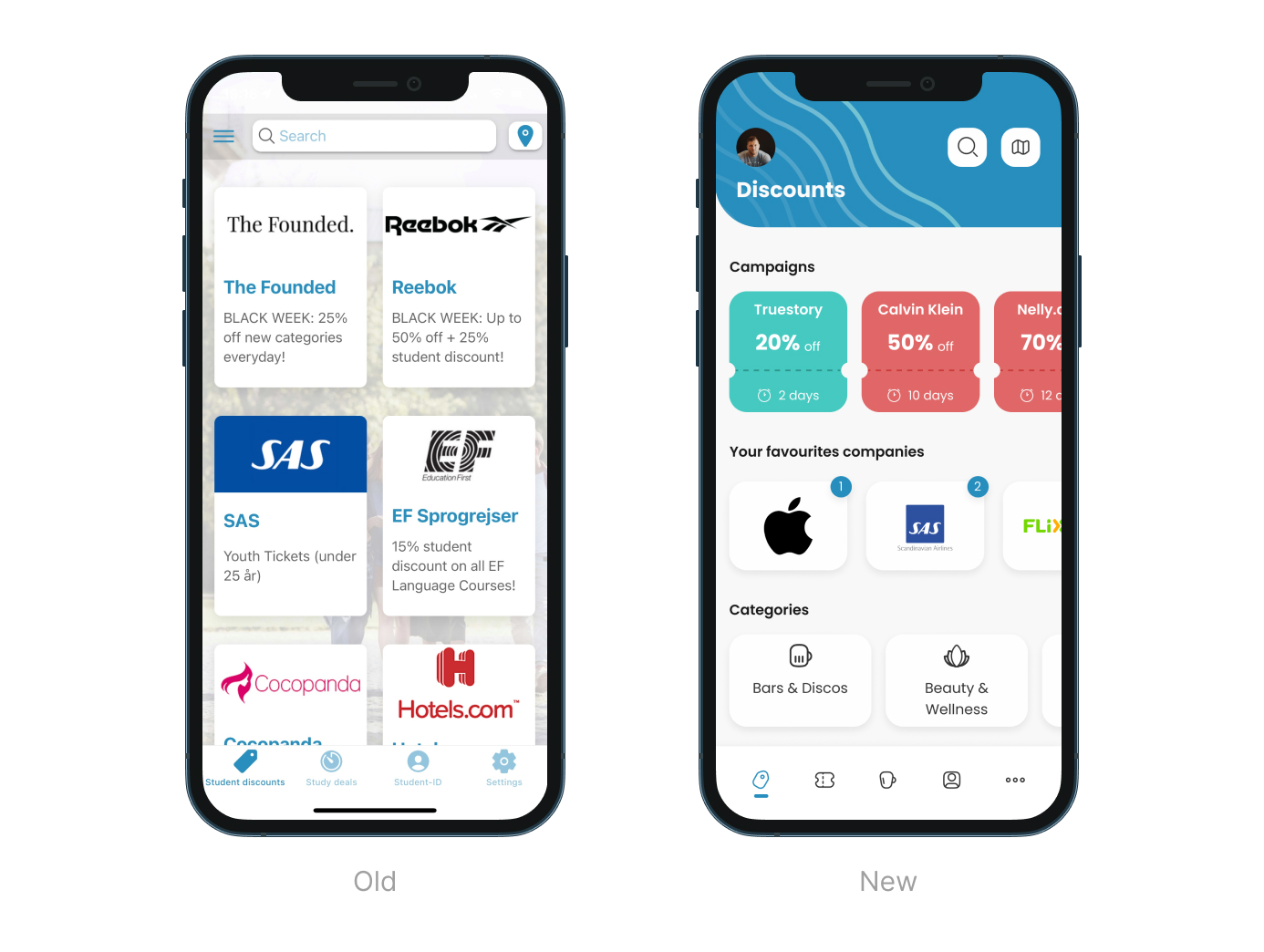
I completely redesigned the mobile app with the main goal of not only creating a new, fresh look for the app but also improving the UX flow to make it more intuitive and straightforward.
All images feature real products, not mockups, giving you a genuine look into the transformation process and how it improved the user experience.
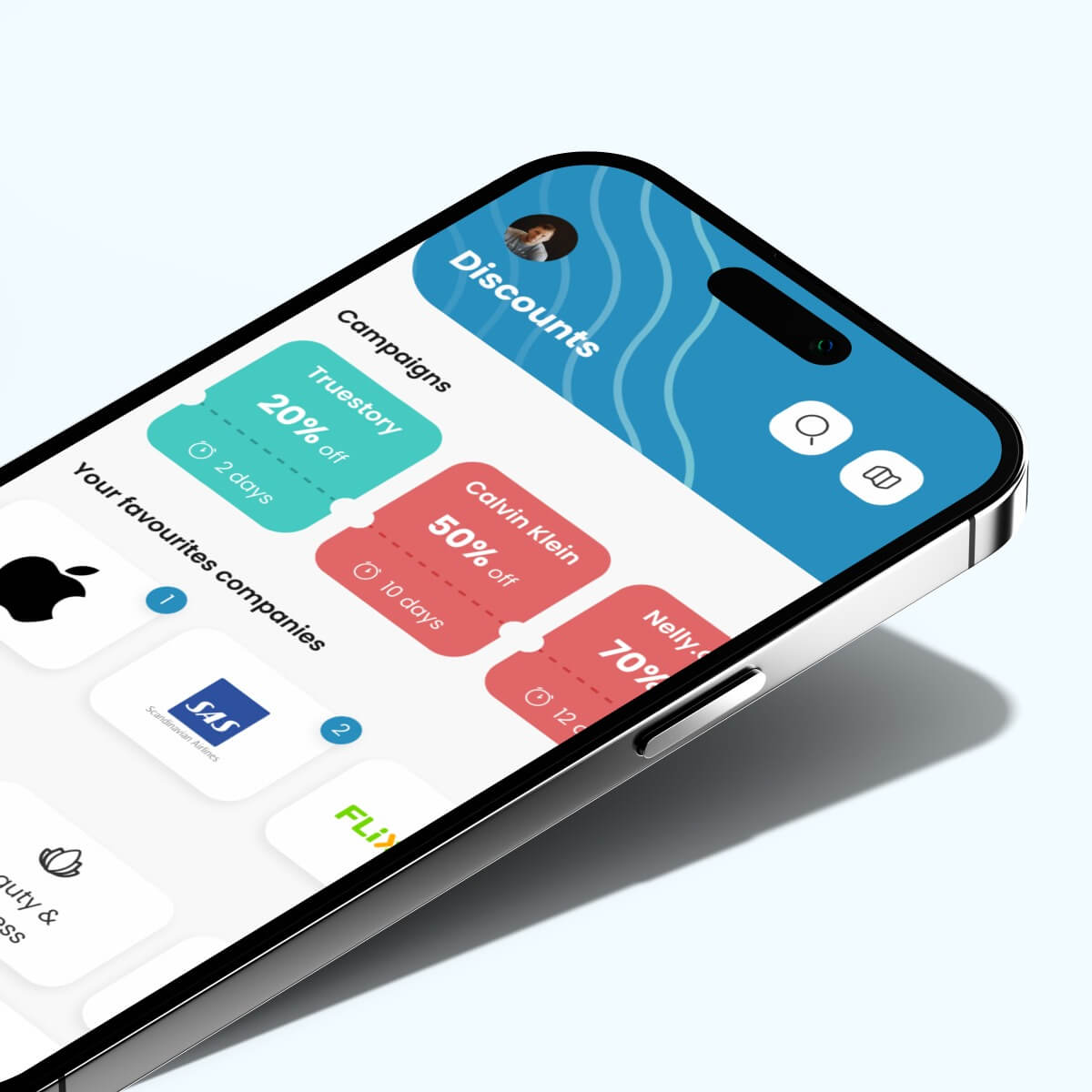
Currently, the main emphasis is on the Campaign section, which contains temporary special deals that are most profitable for students. Thanks to the use of different colors, users can easily scan them without reading the text and figure out which ones can help them save the most money. Another part is the Favourites section, which shows information about new discounts in these particular web shops. The last section is a slider with all regular discounts categories, which is placed on the bottom of the screen for easy access.
Home Page:
- Redesigned for a fresh, intuitive look
- Emphasized Campaign section for temporary special deals
- Used different colors to highlight the most profitable deals
- Favourites section to feature new discounts in particular web shops
- Slider at the bottom for easy access to all regular discount categories
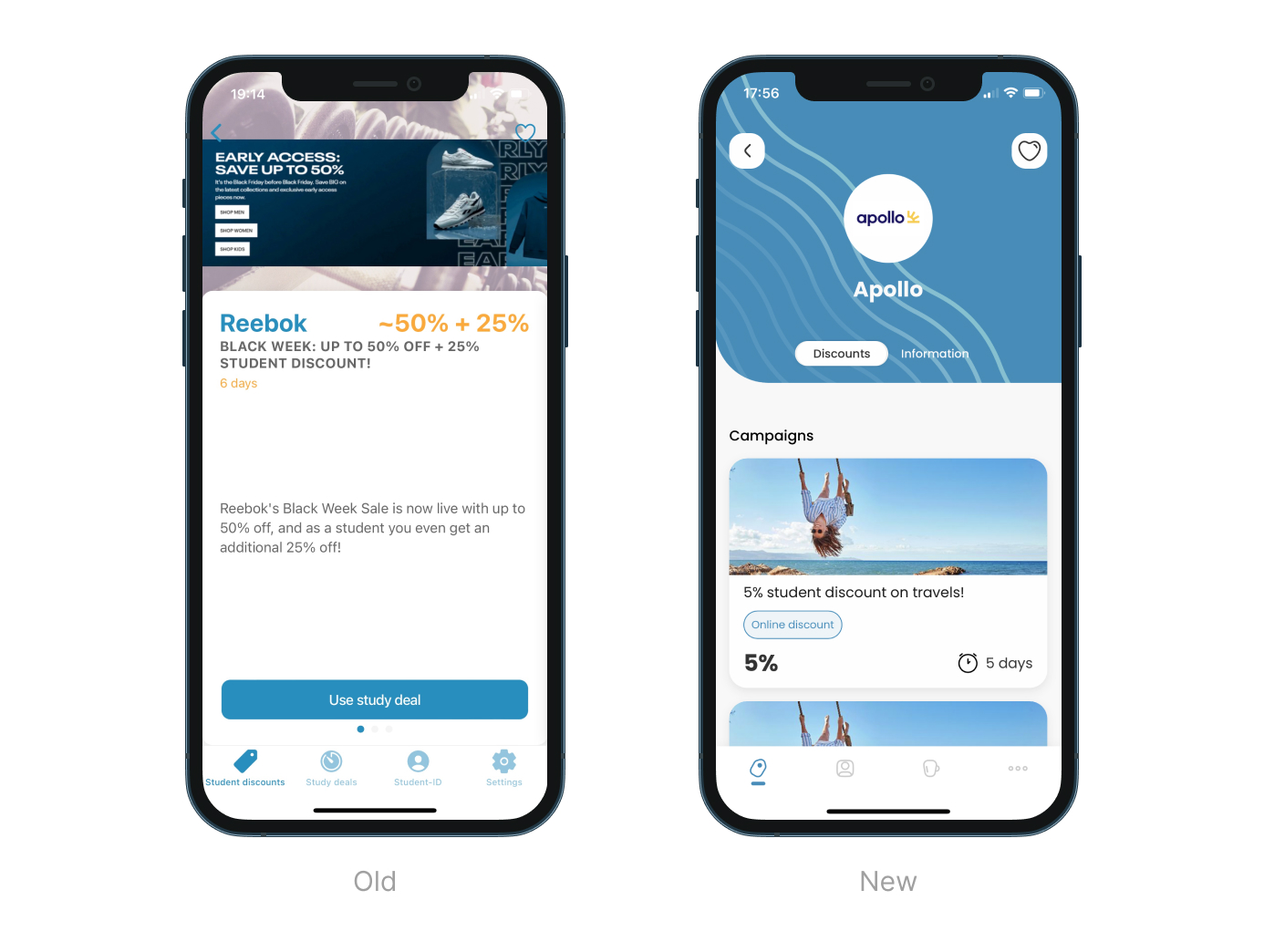
Provider Page:
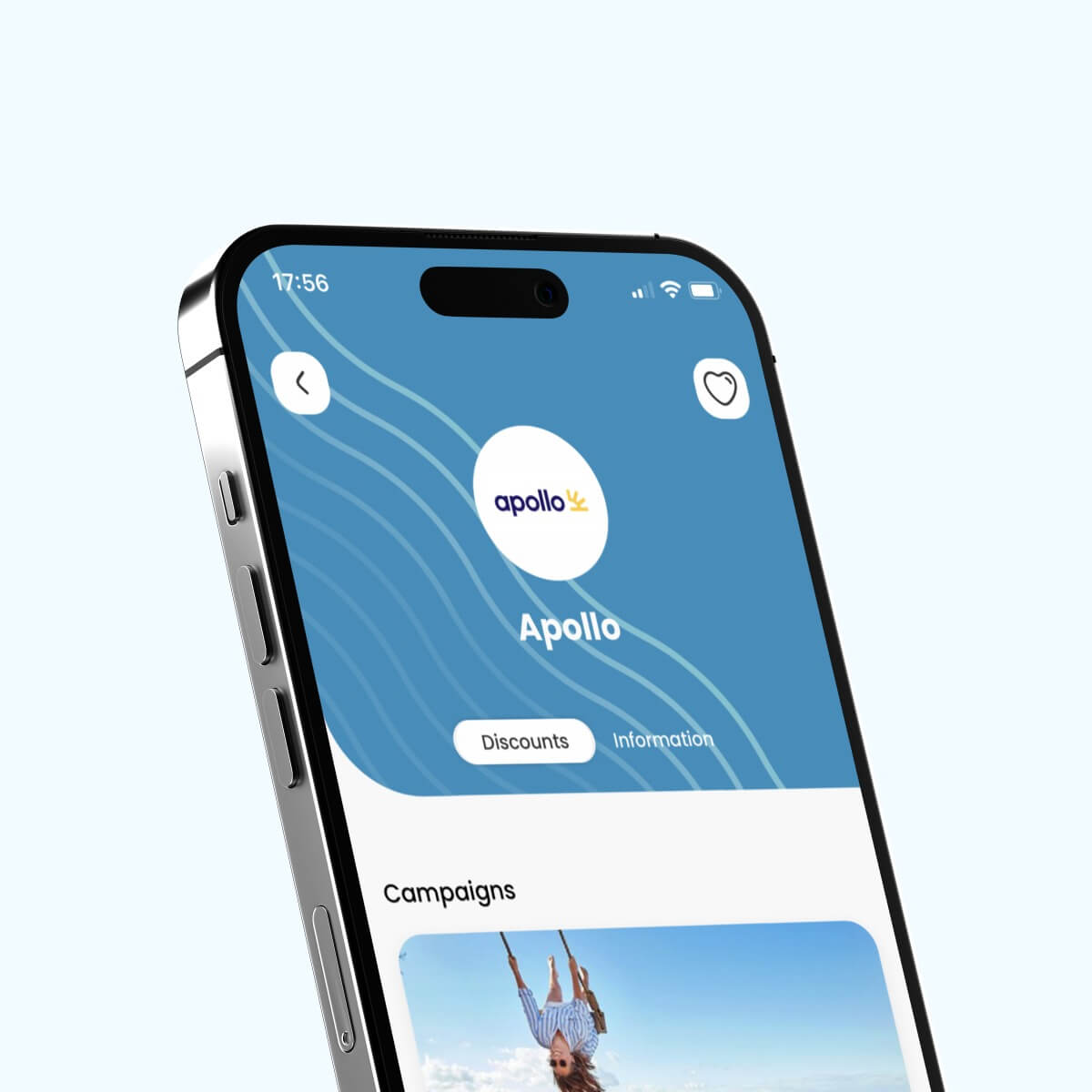
- New one-page layout with segments for discounts and provider information
- Seamless switch between discounts and information
- Included slider with all discounts and provider details, eliminating navigation to multiple pages
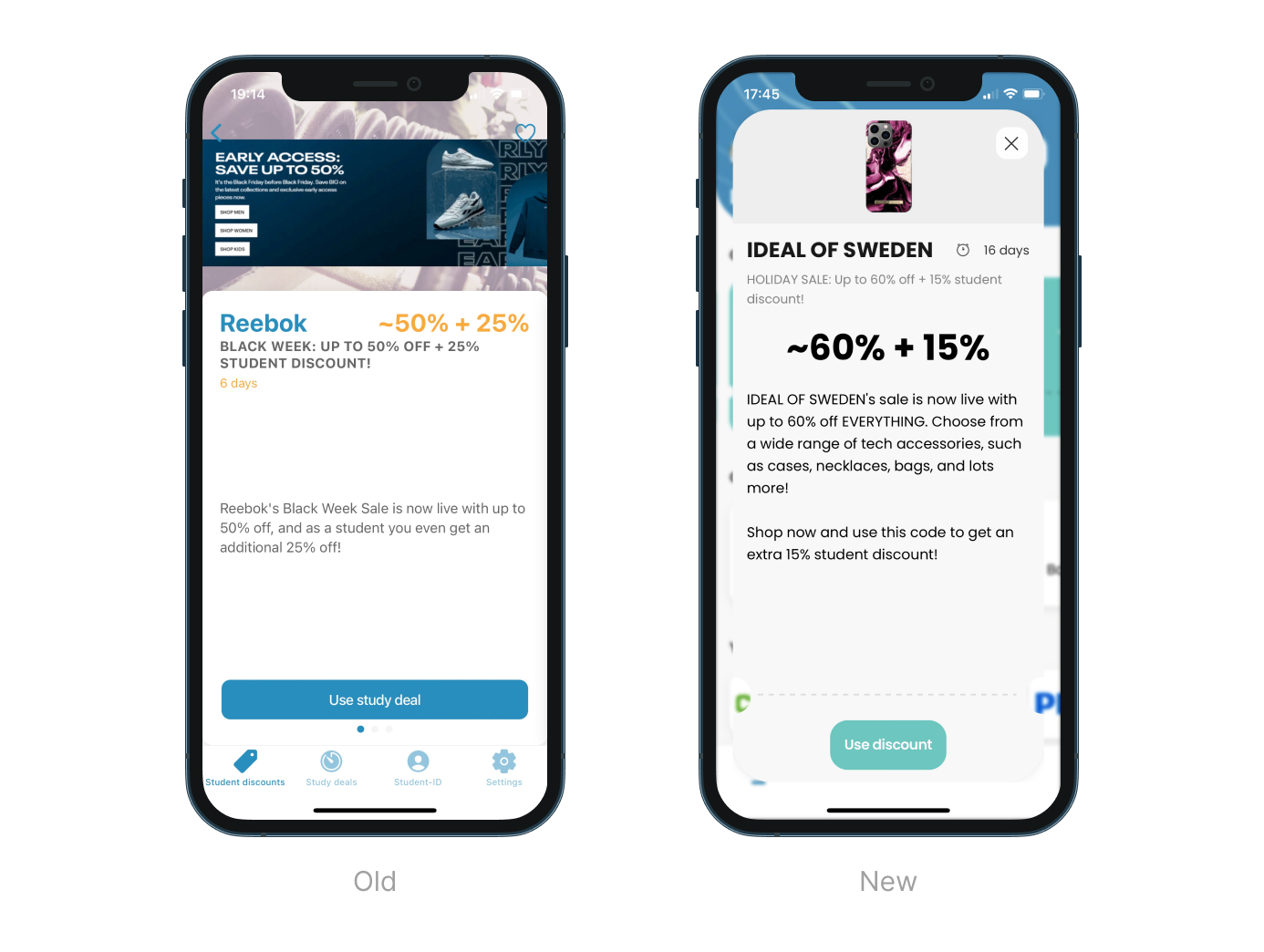
Discount View:
- Enhanced layout for clearer presentation of discount details
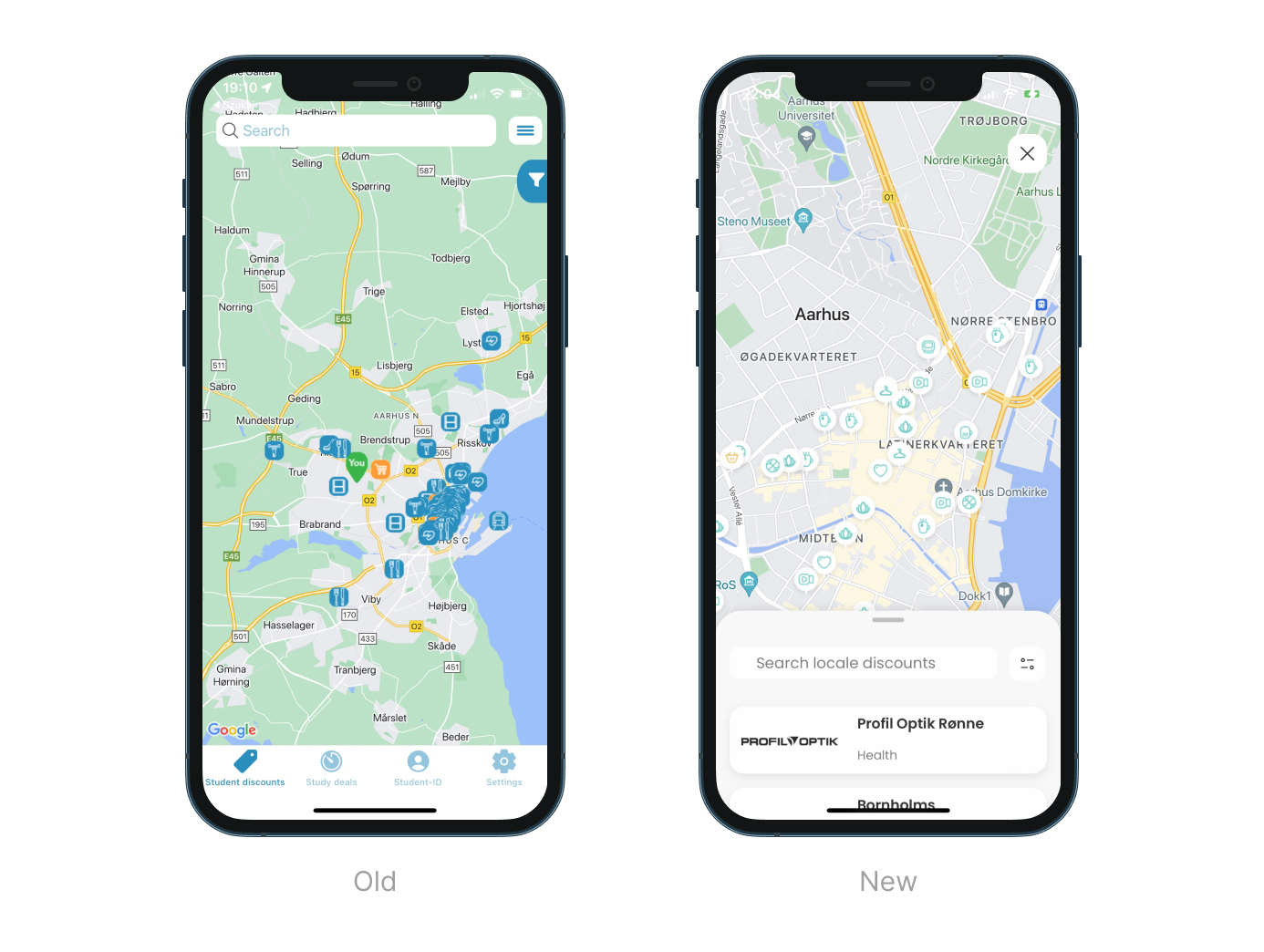
Map Page:
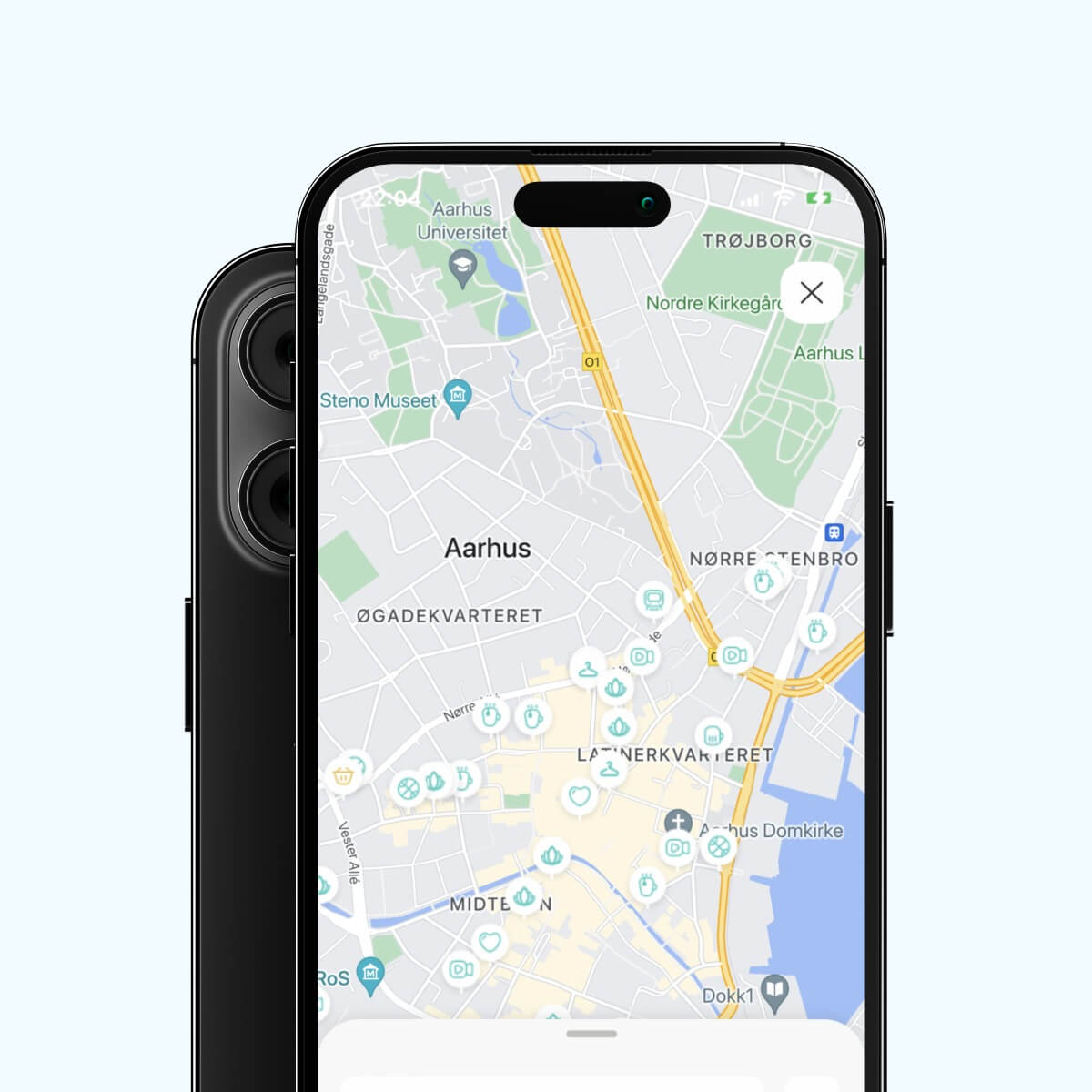
- Flow adjusted to fit the screen touch zone
- Easy switch between list and map view
- Convenient access to filters and search options
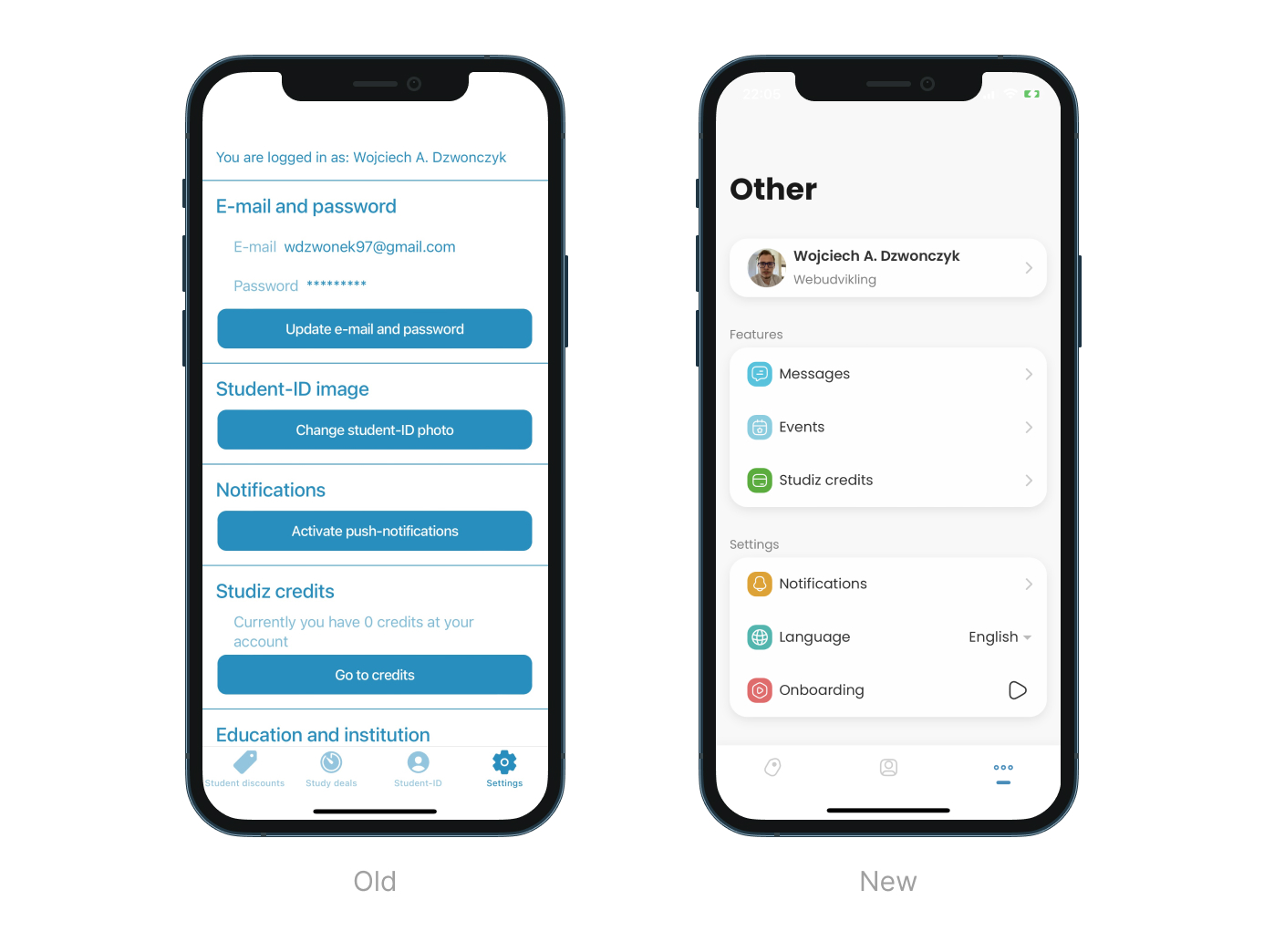
Other Page:
- Organized and appealing information architecture
- Added icons for better section recognition
- Improved layout for easier navigation and user experience
Conclusions
Working on Studiz cases helped me develop my design skills, gain new ones, and increase my confidence in making decisions that had an impact on the solutions’ future. Working with other developers and designers improved my team working skills. I learned how to organize workflows for better communication with them and make the whole process smoother and more transparent.